
See progress and show it to the family.
Assessment and plan charts generated from data the team has already recorded, ready for supervision and family meetings.
The Proaba app is available in English and Portuguese.
The assessment in one dashboard
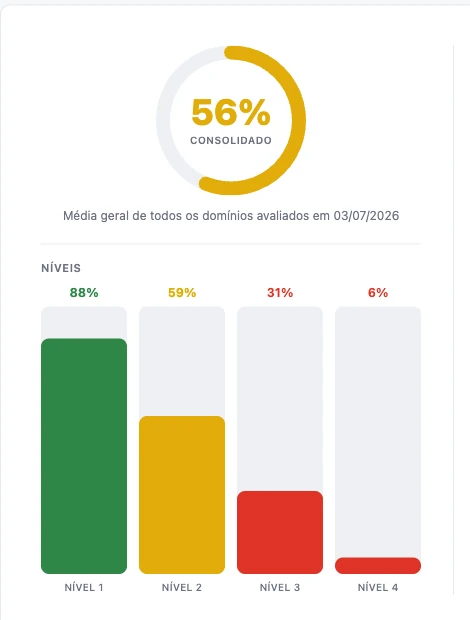
Choose a protocol and view the consolidated percentage, performance by level, and progress over applications.
- Consolidated percentage of all evaluated domains
- Bars by level, colored by performance
- Progress by level in line charts, in percentage and points
- A non-assessed level appears as a gap, never as a zero
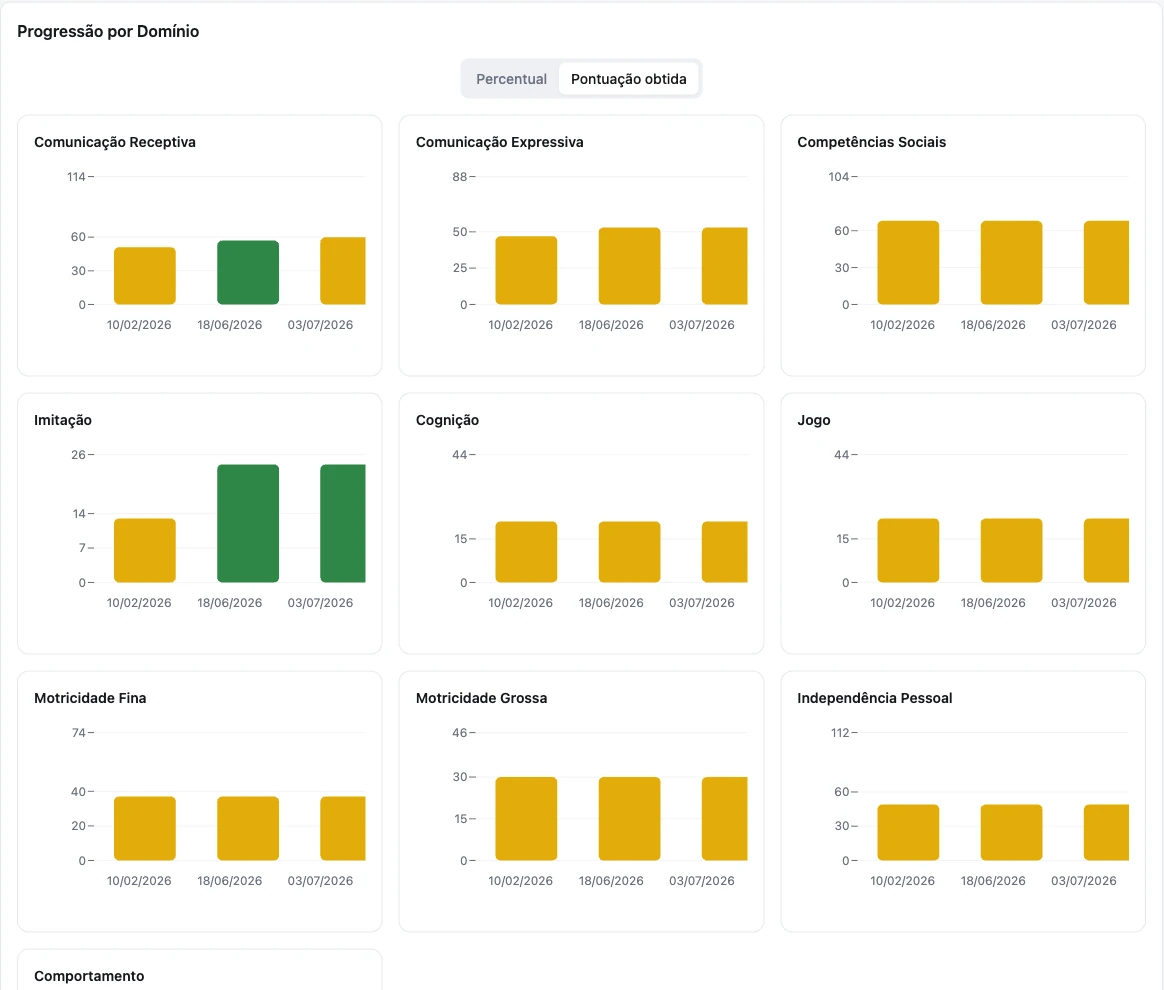
Progression by domain
Each protocol domain has its own chart, with assessments side by side, in percentage or score obtained.
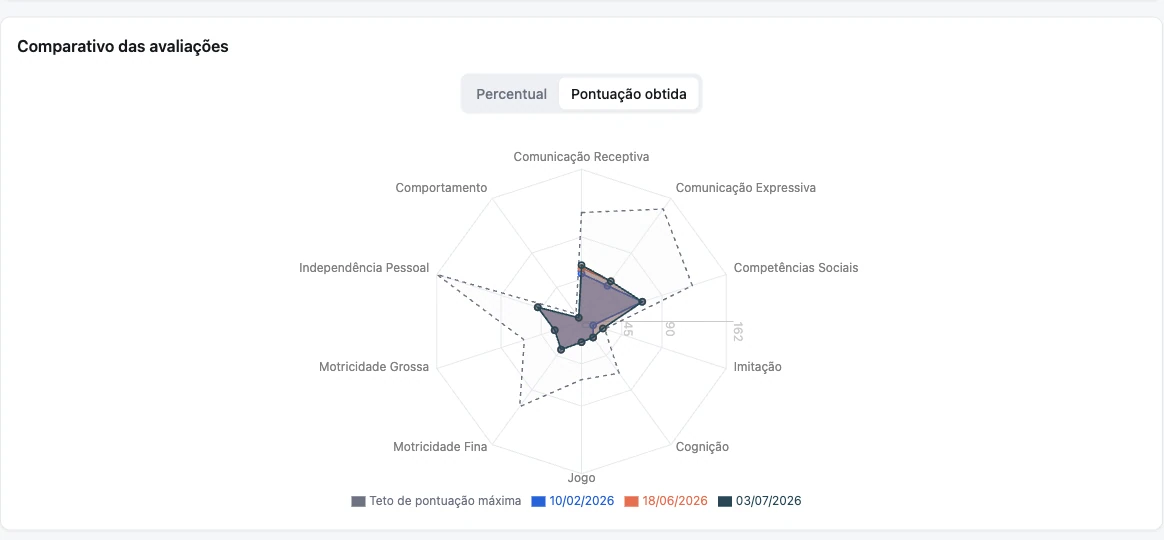
Compare assessments and see what needs attention
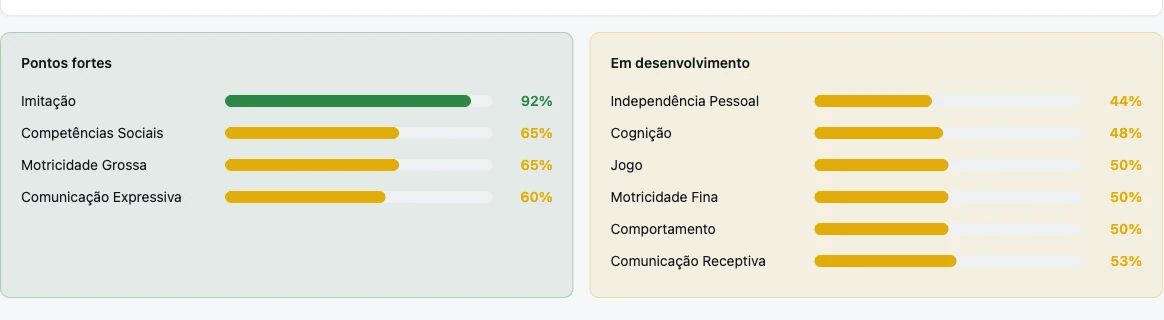
The radar compares the most recent assessments, and the dashboard names strengths and developing domains.
- Radar with the 4 most recent assessments
- A selection of assessments applies to all charts, and the link saves this view for sharing.
- Strengths and areas for development with the percentage of each domain
Plan charts are generated from sessions
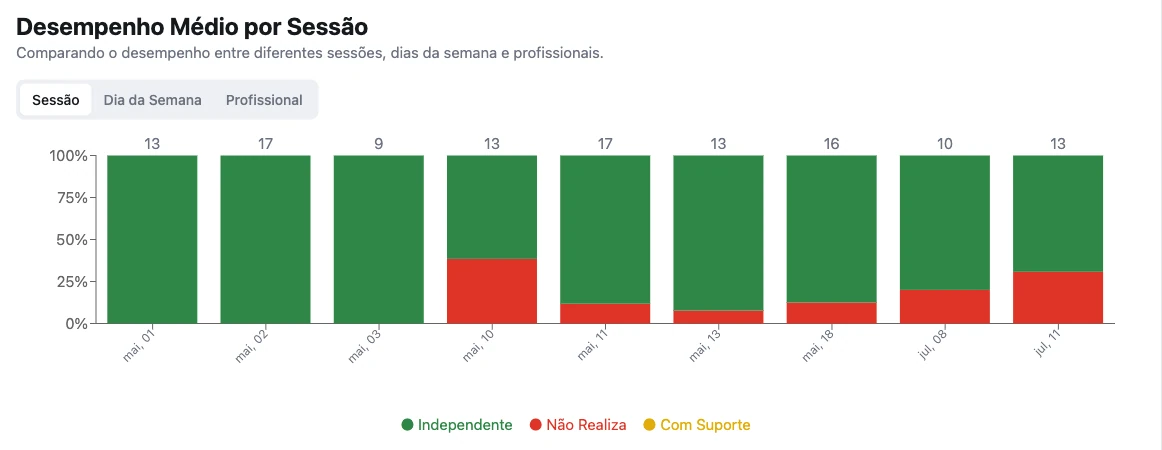
Each recorded session becomes a data point on the plan charts. Choose the period, from this week to since the beginning.
- Average performance per session, per day of the week, and per professional
- Independent, prompted, and no-response in each session
- Progress of steps and targets for each goal
- Accumulated achievements of goals and targets
The progress of each goal
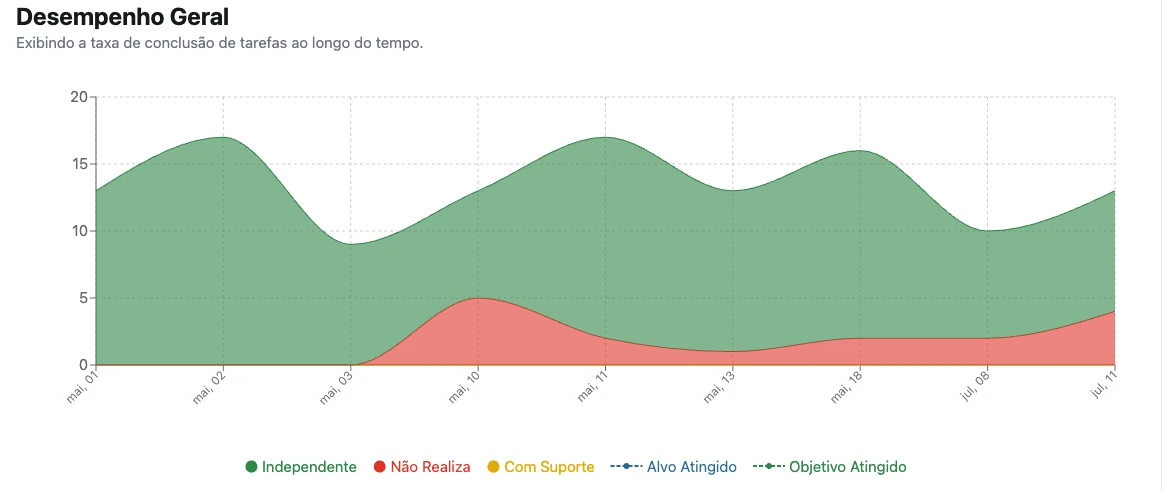
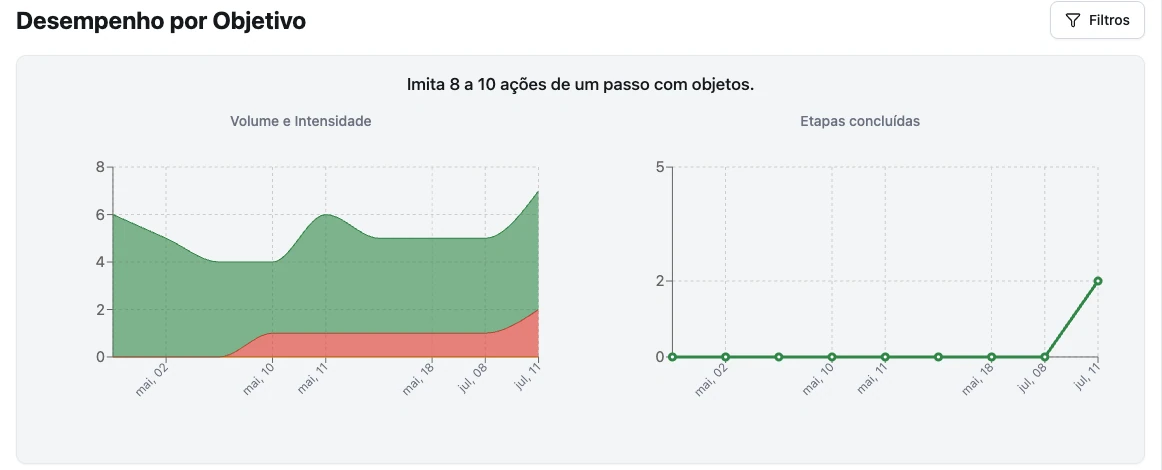
Track the success rate over time and, goal by goal, the volume of trials and completed steps.
- Overall performance over time
- Volume and intensity per goal
- Steps completed per goal
- Filter by goal and export selected charts
Results specific to each instrument
Beyond general charts, some protocols have their own result interpretation, exactly as the instrument requires.
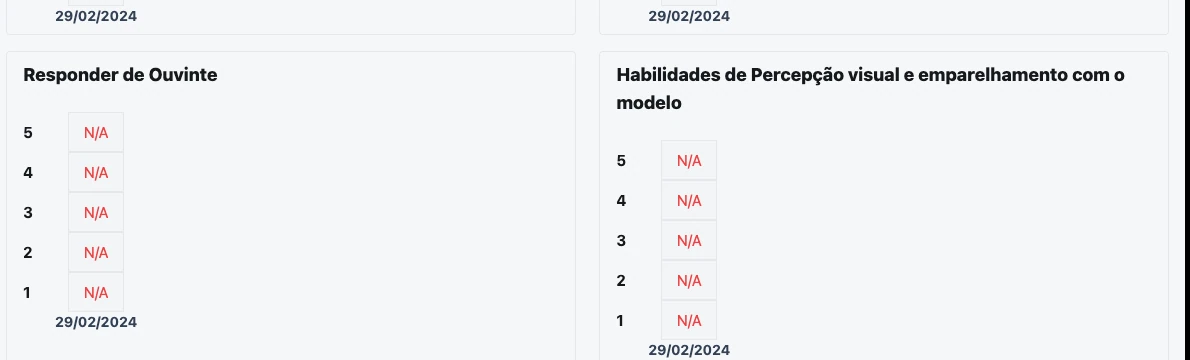
- VB-MAPP Milestones: milestones grid from 1 to 5 per domain, with one tab per level
- VB-MAPP Barriers: map with inverted colors, because high scores there are worse
- IDADI: normative calculation, with export
- SPM Home: T-score per scale, with interpretation (typical, possible dysfunction, dysfunction)
PDF ready for the meeting
Export what the family and the team need to see, without creating reports by hand.
- Plan charts, selecting which ones to include
- Assessment map, with legend and items by area
- Intervention plan and session in PDF
- Printable child summary
- Exportable normative result for IDADI and SPM.